
OpenDJ Installation From GUI in Windows and Linux
OpendDJ can be installed in two different ways as follows.
- Command Line Interface
- GUI interface
CommandLine interface silighly difficult if compare to GUI. Click here to see OpenDJ installation through command line interface.
Here I am going to sharing how to installation OpenDJ through GUI.
Click Here to download OpenDJ zip file and unzip it into folder as follows
Windows
C:\Users\swamy\Downloads\OpenDJ-3.0.0.zip

D:\forgerock\opendj
Linux
/home/swamy/Download/OpenDJ-3.0.0.zip
/home/swamy/forgerock/opendj
Execute installation/Setup command
Windows
D:\forgerock\opendj\setup.bat
Linux
/home/swamy/forgerock/opendj/./setup.sh
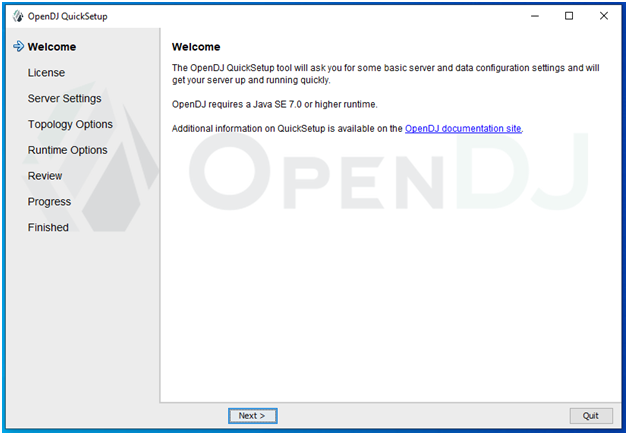
Welcome
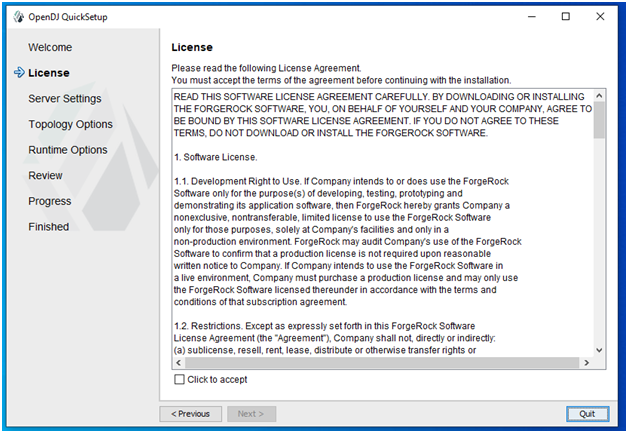
Licence
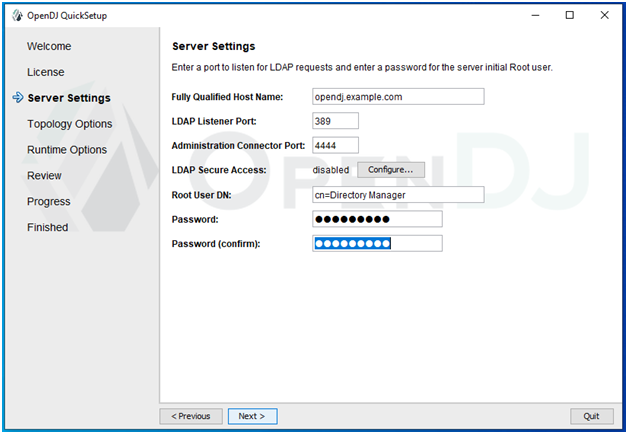
Server Settings
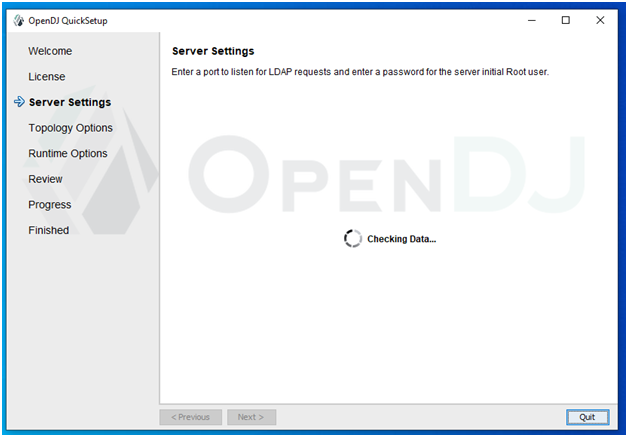
Server Setting Progress
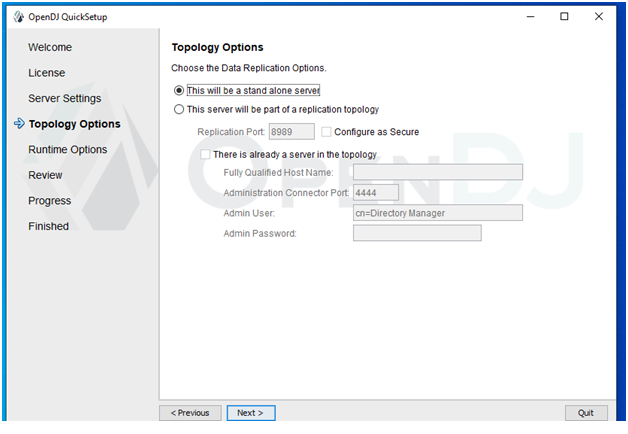
Topology Options
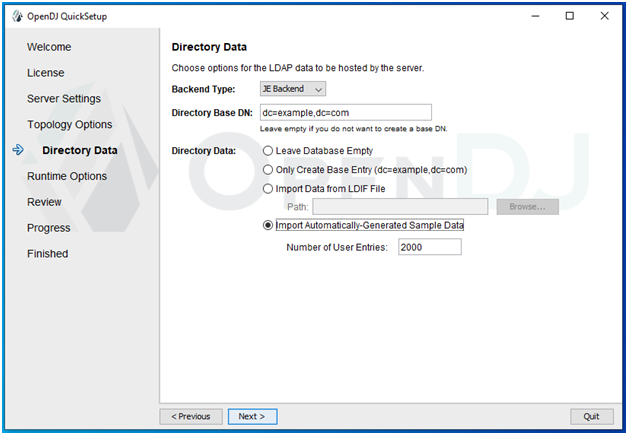
Direcotry Data
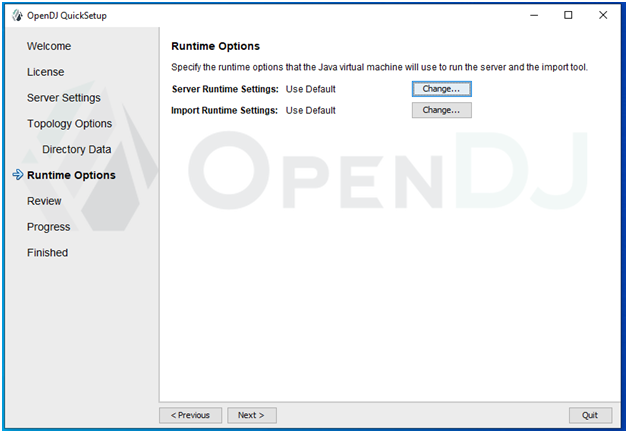
Runtime Options
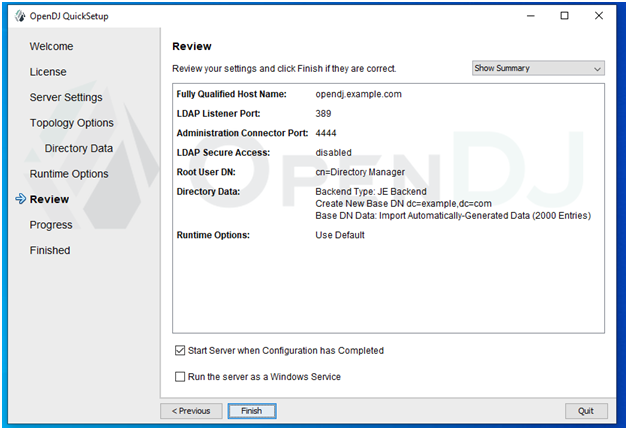
Installation Setup Review
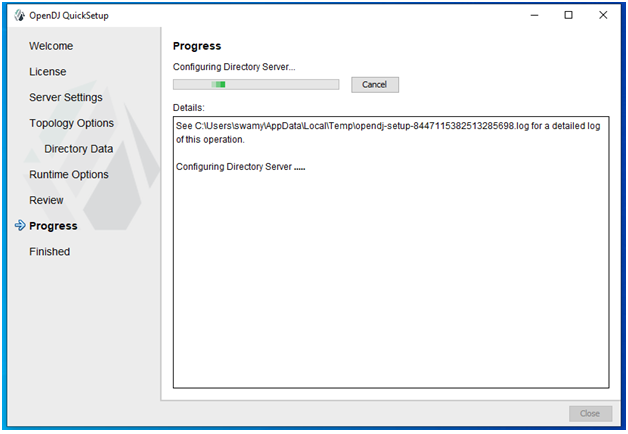
Installation Progress
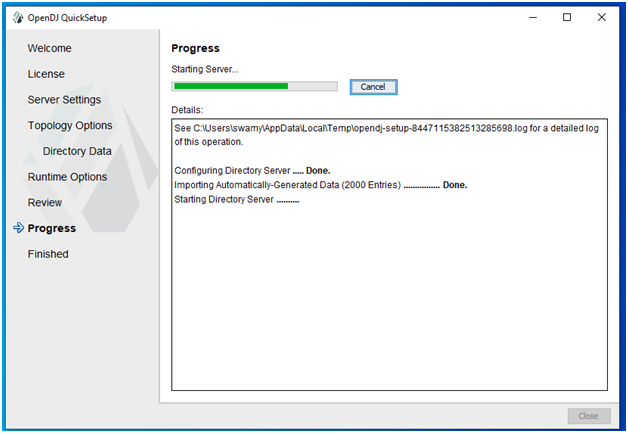
Installation Finished
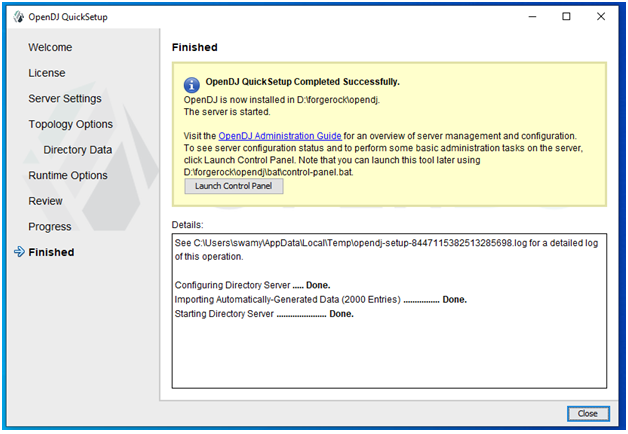
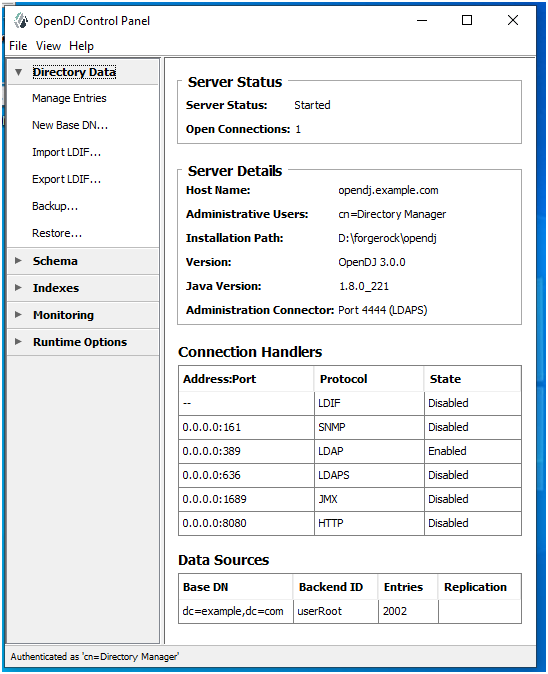
Launch Control Panle
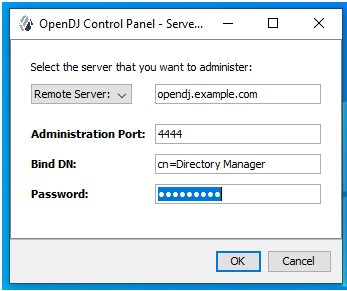
Control Panel Home

Hello! I am Narayanaswamy founder and admin of narayanatutorial.com. I have been working in the IT industry for more than 12 years. NarayanaTutorial is my web technologies blog. My specialties are Java / J2EE, Spring, Hibernate, Struts, Webservices, PHP, Oracle, MySQL, SQLServer, Web Hosting, Website Development, and IAM(ForgeRock) Specialist
I am a self-learner and passionate about training and writing. I am always trying my best to share my knowledge through my blog.

